Put a file in your notes folder and embed it with ![[name]]. Basalt works out what it is and gives it the right frame. Click any picture on this page and it grows out of the page to fill the screen. There you can zoom, pan, and step through every picture on the page with the arrow keys, or swipe on a phone.
Pictures
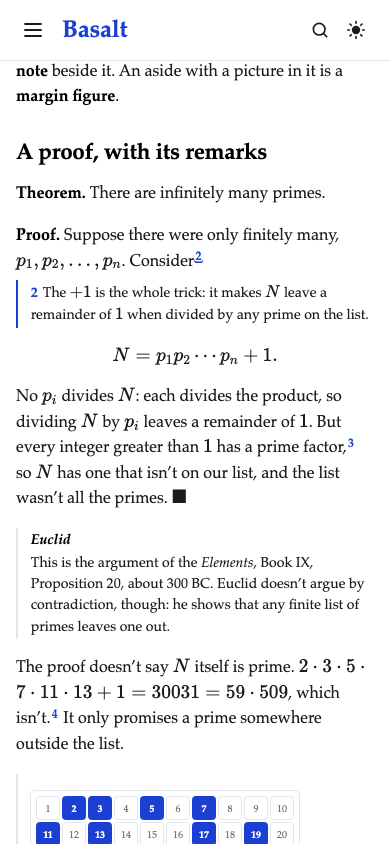
A picture that’s a remark doesn’t need room in the text at all. Link to it, [[phone.png|on a phone]], and it appears in the side content while you point at the link: here’s the margin page on a phone. Click the link to see it full screen. A picture that should stay beside its paragraph goes in an aside, > [!aside], as a margin figure.
A picture the text is about goes in the main content. A title in the markdown becomes its caption, and |320 after a name sets its width:
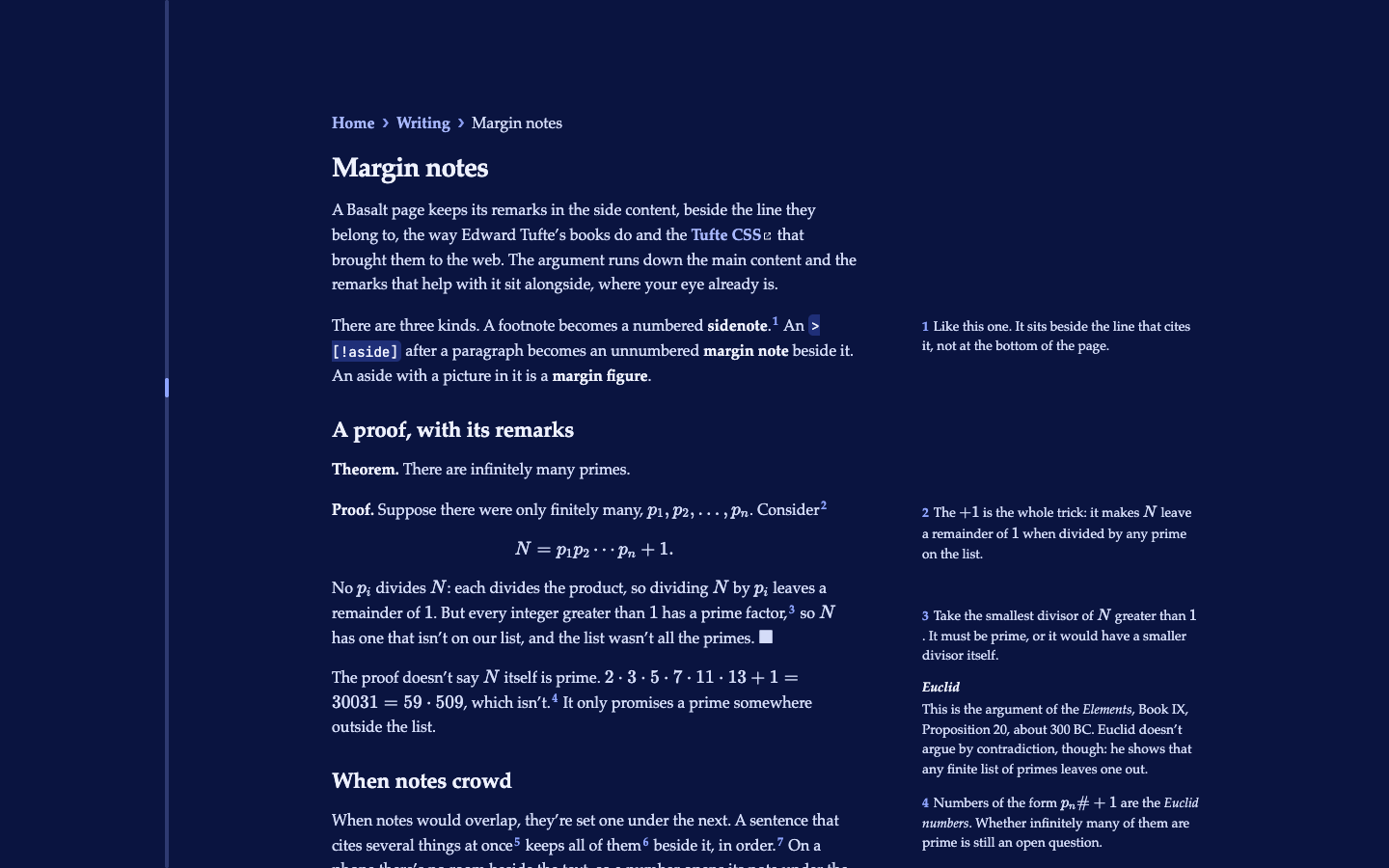
the margin page: toggle the theme and it changes with the page
Save a dark version beside a picture, margin-page.dark.png next to margin-page.png, and the page shows whichever matches its theme. Nothing to write: embed the picture as usual, and Basalt finds its twin.
Video
![[saving.mp4]] gets a player that doesn’t fetch the file until you press play. This one is a page changing as its note is saved:
saving a note, with the page open
Add |gif and it plays like one: muted, looping, no controls.
the same, as a gif
Sound
![[a440.m4a]] gets a player in the page’s own colours:
A440, the note an orchestra tunes to
A word can play a clip itself: <sound src="/assets/a440.m4a" title="A440" artist="a tuning fork">the A an orchestra tunes to</sound> gives the A an orchestra tunes to. Click it, and while it plays its card stays in the side content. With spotify="…" the song, artist, album and cover come from its Spotify page.
Documents
![[margin.pdf#page=2|560]] opens a PDF in Basalt’s own reader, at page two and 560 pixels tall. This one is the margin page of this tour, printed. Its bar turns pages, zooms, fits the width, goes full screen, opens the browser’s own viewer at the page you’re on, and downloads it. Its text can be selected and searched. With the reader focused, the arrow keys turn pages, + and − zoom, and F goes full screen.
---title: Mediadescription: "Pictures, video, sound and PDFs, each in the right frame and full screen on a click."aliases: [media, examples/media]---Put a file in your notes folder and embed it with `![[name]]`. Basalt works out what it is and gives it the right frame. Click any picture on this page and it grows out of the page to fill the screen. There you can zoom, pan, and step through every picture on the page with the arrow keys, or swipe on a phone.## PicturesA picture that's a remark doesn't need room in the text at all. Link to it, `[[phone.png|on a phone]]`, and it appears in the side content while you point at the link: here's the margin page [[phone.png|on a phone]]. Click the link to see it full screen. A picture that should stay beside its paragraph goes in an aside, `> [!aside]`, as a margin figure.A picture the text is about goes in the main content. A title in the markdown becomes its caption, and `|320` after a name sets its width: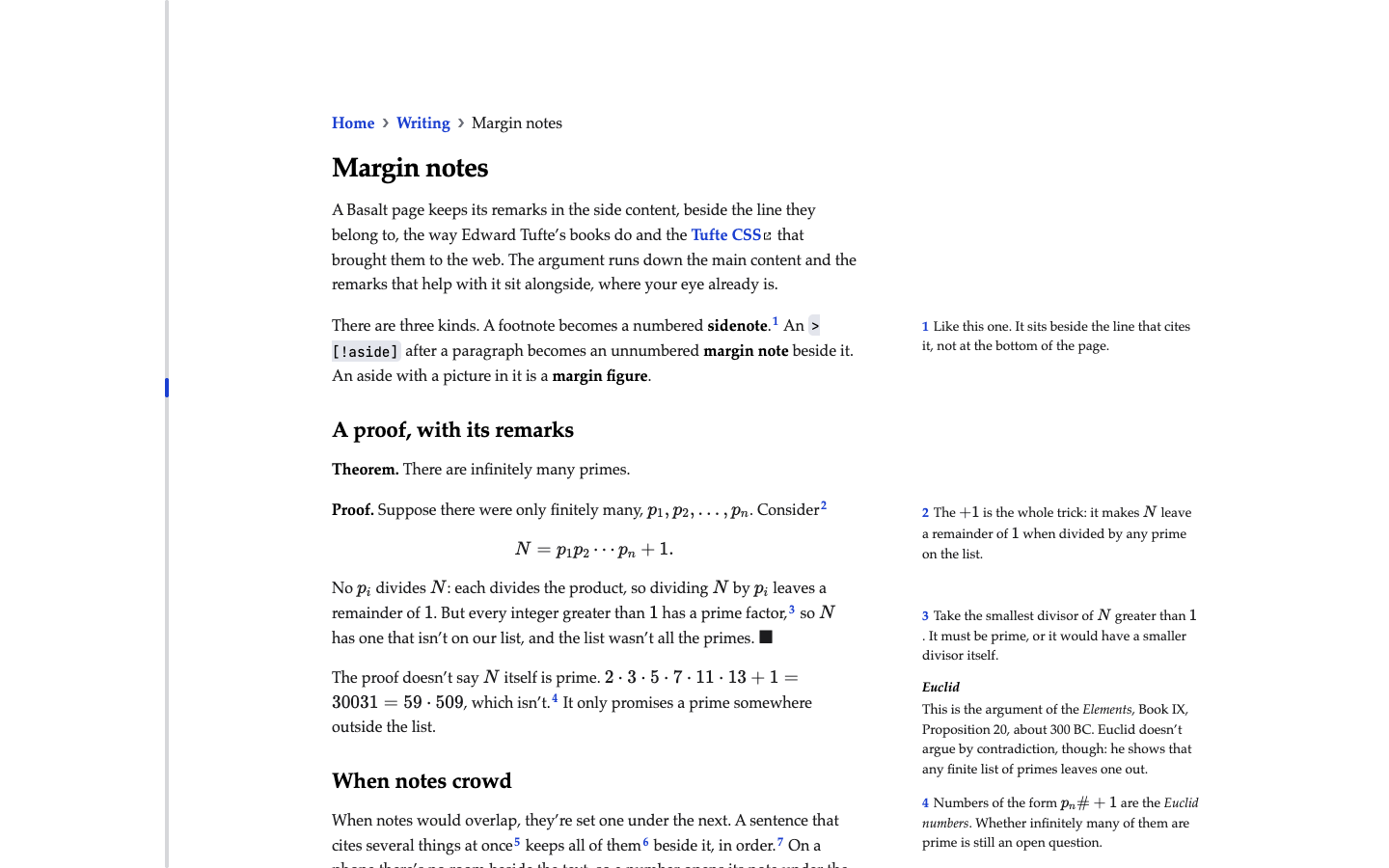Save a dark version beside a picture, `margin-page.dark.png` next to `margin-page.png`, and the page shows whichever matches its theme. Nothing to write: embed the picture as usual, and Basalt finds its twin.## Video`![[saving.mp4]]` gets a player that doesn't fetch the file until you press play. This one is a page changing as its note is saved:![[saving.mp4|saving a note, with the page open]]Add `|gif` and it plays like one: muted, looping, no controls.![[saving.mp4|the same, as a gif|gif|480]]## Sound`![[a440.m4a]]` gets a player in the page's own colours:![[a440.m4a|A440, the note an orchestra tunes to]]A word can play a clip itself: `<sound src="/assets/a440.m4a" title="A440" artist="a tuning fork">the A an orchestra tunes to</sound>` gives <sound src="/assets/a440.m4a" title="A440" artist="a tuning fork, more or less" label="four seconds">the A an orchestra tunes to</sound>. Click it, and while it plays its card stays in the side content. With `spotify="…"` the song, artist, album and cover come from its Spotify page.## Documents`![[margin.pdf#page=2|560]]` opens a PDF in Basalt's own reader, at page two and 560 pixels tall. This one is the margin page of this tour, printed. Its bar turns pages, zooms, fits the width, goes full screen, opens the browser's own viewer at the page you're on, and downloads it. Its text can be selected and searched. With the reader focused, the arrow keys turn pages, + and − zoom, and F goes full screen.![[margin.pdf#page=2|560]]